
Features & Customization Options
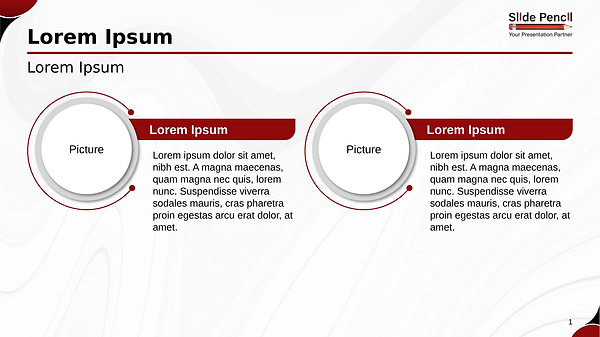
• Single fully editable slide with a structured two-member team profile layout
• Clean side-by-side composition for presenting team members equally and professionally
• Integrated photo placeholders combined with dedicated content areas for names, roles, and descriptions
• Balanced spacing and alignment for strong visual clarity and organization
• Bold accent highlights combined with neutral gray and white tones for a modern professional appearance
• Fully editable text, images, icons, shapes, and colors in PowerPoint and Google Slides
• Clean and professional typography optimized for readability and presentation impact
Design & Layout Overview
This slide is designed around a two-member team presentation layout that visually balances profile information and imagery in a clean and organized format. The side-by-side arrangement allows audiences to quickly identify team members while maintaining equal visual importance for each profile.
Dedicated photo areas help personalize the presentation, while supporting text sections provide space for names, titles, and concise descriptions. The balanced composition keeps the layout visually engaging without appearing overcrowded.
Bold accent colors emphasize key profile elements, while neutral tones maintain a polished and professional presentation style. The clean structure ensures readability and helps audiences focus on the people being presented.
Practical Applications
• Introducing leadership or management teams
• Presenting project collaborators or departments
• Highlighting founders or key stakeholders
• Showing consulting or advisory team members
• Demonstrating partnership or collaboration profiles
• Presenting speaker or presenter introductions
Summary
The 2 Team Members slide provides a clean and visually professional way to introduce team profiles and key individuals. Its balanced layout, modern styling, and organized structure make it ideal for business, corporate, and organizational presentations.
Use it to showcase team members, highlight professional roles, and present people-focused information in a clear, organized, and visually compelling format.
PowerPoint: