
Vertical 7 Steps Process
.png)
Features & Customization Options
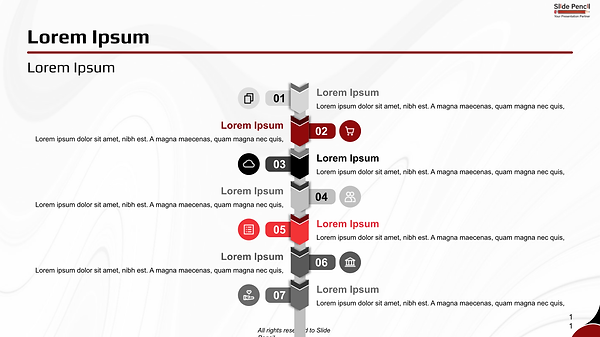
• Single fully editable slide with a structured seven-step vertical layout
• Clear numbered progression (01–02–03–04–05–06–07) for comprehensive storytelling
• Alternating left and right content alignment for balanced visual rhythm
• Integrated icon placeholders to visually support each stage
• Bold accent highlights combined with neutral gray and white tones
• Fully editable text, shapes, and icons in PowerPoint and Google Slides
• Clean, professional typography optimized for clarity and structured flow
Design & Layout Overview
This slide is built around a central vertical timeline that organizes seven distinct stages into a clear and logical progression. The extended structure allows you to present detailed frameworks while maintaining visual clarity and order.
Each numbered section is strategically placed to create natural top-to-bottom movement. The alternating alignment enhances engagement while preserving clean readability. Accent elements highlight important stages within the sequence, ensuring key moments stand out without overwhelming the design.
Icons reinforce each step, adding visual structure while keeping the content focused and professional.
Practical Applications
• Presenting a seven-stage strategic framework
• Explaining comprehensive operational processes
• Outlining detailed project roadmaps
• Demonstrating step-by-step implementation systems
• Showcasing transformation journeys
• Breaking down multi-phase execution plans
Summary
The Vertical 7 Steps Process slide provides a structured and visually balanced way to communicate extended workflows or strategic sequences. Its strong hierarchy, clear numbering system, and professional styling make it ideal for presentations that require depth, organization, and impact.
Use it to guide your audience through complex processes in a clear, structured, and compelling manner.
PowerPoint: